Choosing clothing online is easier when you treat a size label as one detail, not the whole answer. Fit notes, listed measurements, fabric information, and available variants each offer different clues. Start with what the product page says, then compare those details with your own preferences and a garment you already wear comfortably. This approach helps you distinguish a close fit from a relaxed one and identify where a listing leaves questions unanswered.
Start with the exact options listed
Before deciding what size to choose, check which variants are actually offered on the product page. A listing may provide several sizes, colors, or other selectable options, but you should rely on the choices shown there rather than assuming that every version exists. Read the option names carefully; similar words do not necessarily describe identical measurements or fit.
Separate the available choices from the description of the garment. A size selector tells you what you can select, while fit notes explain how the item is described when worn. If a detail you need is not listed—such as a particular measurement or a comparison between variants—do not fill the gap with a guess. Review the product information and seek clarification through the boutique’s available contact options before ordering. The more specific your question, the easier it is to identify what information is missing.
Read fit notes as practical clues
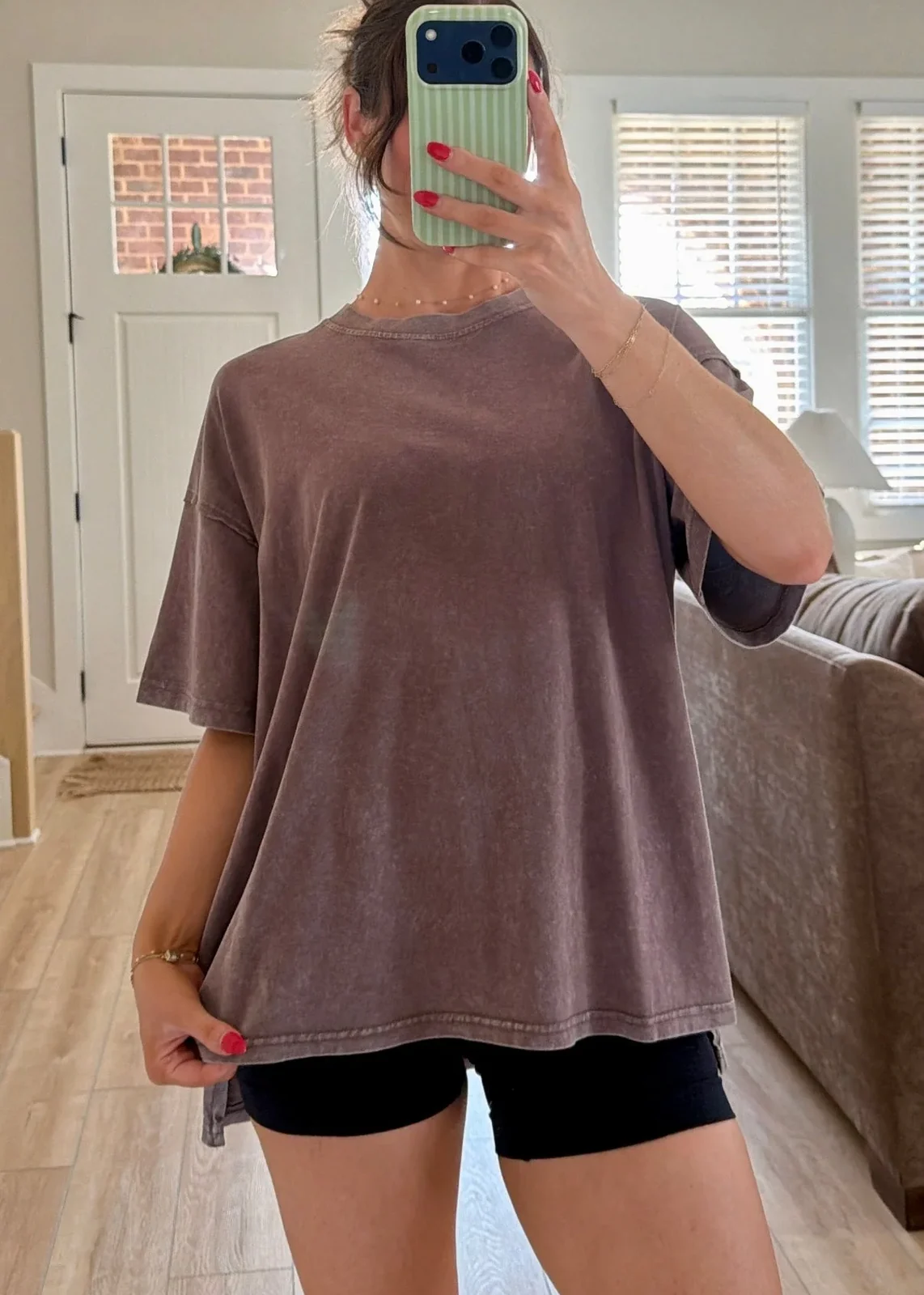
Fit language can help you understand the intended feel of a garment, but it is not a substitute for measurements. For example, the Cozy Chaser Oversized Tee is described as relaxed and oversized, with a model wearing size Small. That tells you the listing presents a roomier silhouette; it does not establish how much extra width or length the tee has on your body.
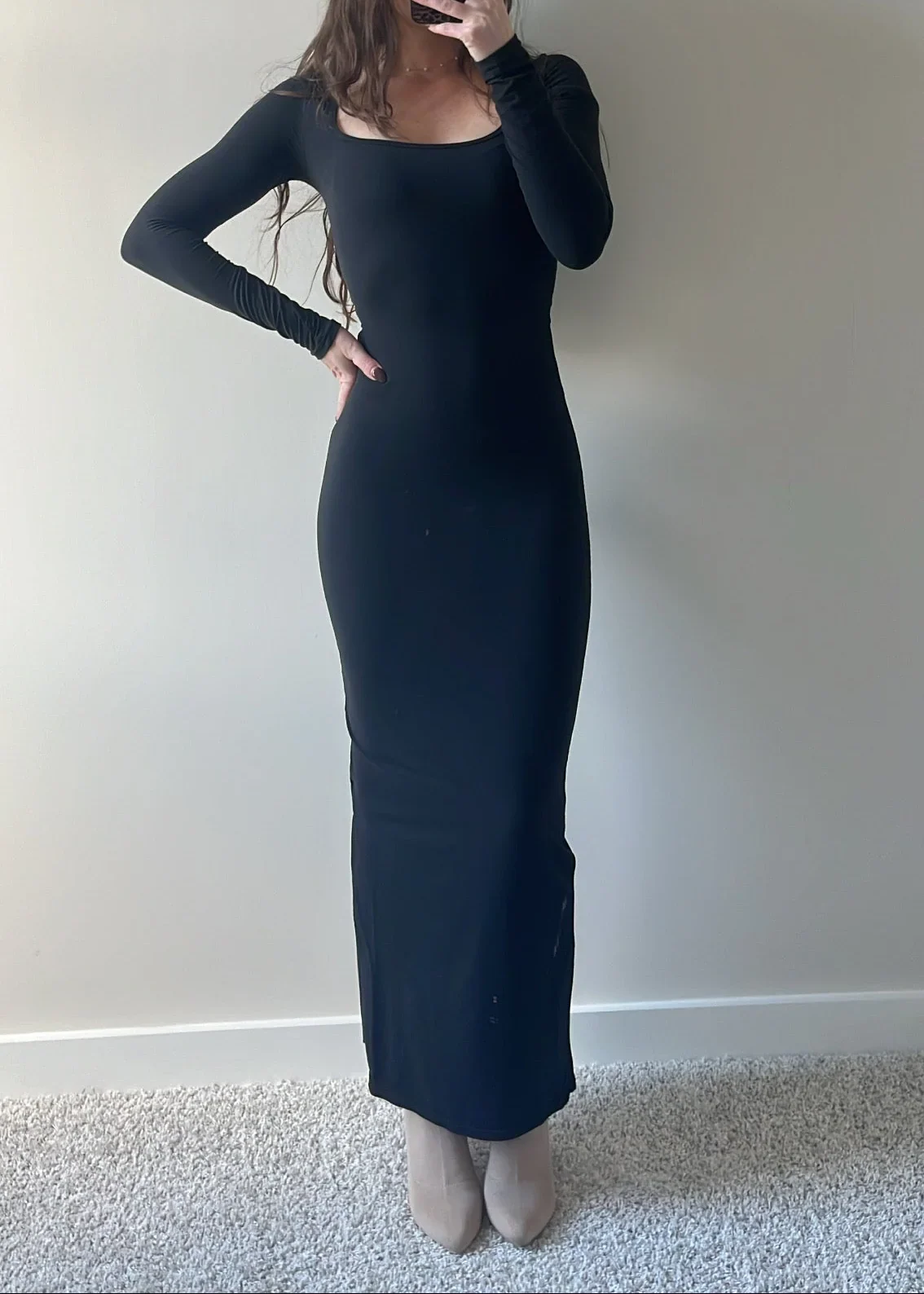
By contrast, the Midnight Dreams Maxi Dress is described as fitting small and tight, with a note to size up for more room. Its description also says the model is wearing her true size Small. Treat both notes as useful context, not a universal sizing formula. Body proportions and preferred ease vary. If you like a close fit, the listed note may matter differently than it would for someone who wants more space. Check for measurements before translating fit language into a size decision.
Compare measurements with a garment you own
When a product page includes garment measurements, compare them with a similar item from your closet. Lay that garment flat and measure the same areas named in the listing, keeping the measuring tape aligned with the seams or edges. Check whether the listed figure describes the garment laid flat or all the way around; those methods produce different numbers. If the page does not explain how a measurement was taken, ask before relying on a close comparison.
Use a piece you like wearing, rather than one that merely matches your usual size label. A comfortable tee can give you a useful reference for shoulder width and body length; a pair of shorts can help you compare waist and rise if those dimensions are provided. Measurements are most helpful when the comparison is like for like. If the item’s cut or construction differs, treat the numbers as guidance rather than an exact prediction of how it will feel.
Use model information without copying it
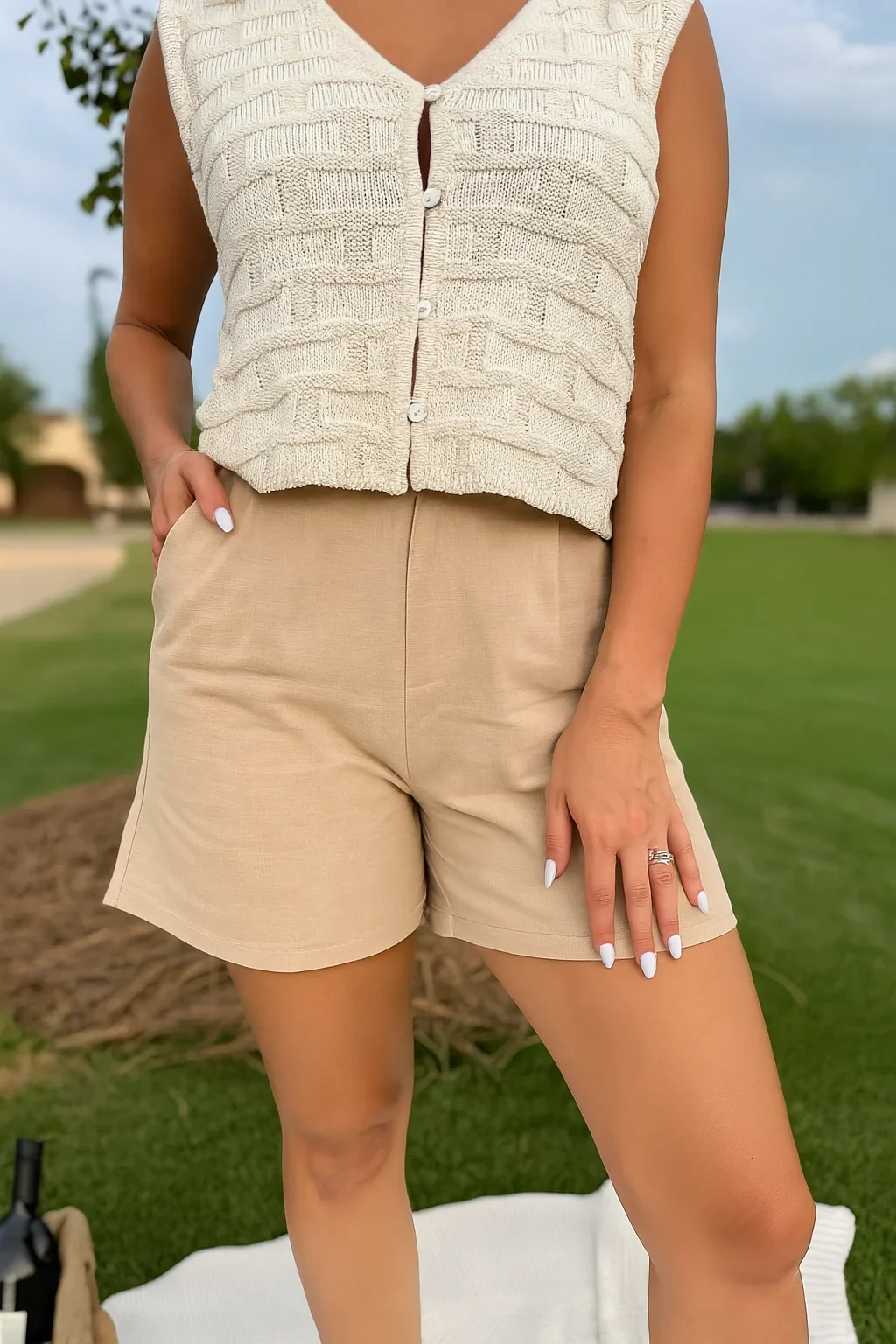
A model’s size can help you understand how the listing presents the garment, but it cannot tell you which size will fit you. The Vineyard Escape Pleated Linen Shorts description says the model is wearing size Small and that the shorts fit true to size. It also lists front pleated detail, side pockets, back pocket detail, and a thigh-length cut. Those details describe the product; the model’s size is context, not a direct sizing comparison for every shopper.
Look for model measurements if they are provided, and compare them with your own only when the same measurements are available. Without that information, avoid estimating a body measurement from a photograph. Images can show styling and general shape, but pose, framing, and garment movement affect what you see. Let written fit notes and any listed dimensions carry more weight than trying to infer an exact size from appearance.
Check what each variant changes
Variants can differ in more than a label. A listing may let you select a size or another clearly named option; read the description to see whether it explains what changes between choices. Do not assume that two variants share identical measurements, fabric content, or fit unless the product information supports that. If a color or version is selected, confirm that the displayed details still correspond to your chosen option.
For broad browsing, use the bottoms collection to explore relevant styles, then open an individual product page before deciding. Collection pages can help you navigate, but product-specific descriptions are where fit notes and garment details belong. For the Vineyard Escape shorts, the listing gives a material composition of 55% linen and 45% cotton. For another item, check its own material line rather than carrying that information over from a similar-looking style.
Make a decision, or pause for clarification
Before adding an item to your cart, review the selected variant, its fit note, any available measurements, and the product-specific details. Ask yourself what you want the garment to feel like: close, relaxed, or roomy. Then compare the available evidence with a piece you already wear in that way. A familiar size label can be a starting point, but it should not outweigh a clear note that a garment fits small or oversized.
If key information is absent or ambiguous, pause rather than treating a guess as a fact. Ask about the exact point that affects your choice, such as whether a measurement is taken flat or which size the listed model wears. Keep any answer tied to the particular product and variant you are considering. That small check can make online shopping more deliberate: use what is listed, notice what is not, and choose according to both the garment details and your own preferred fit.